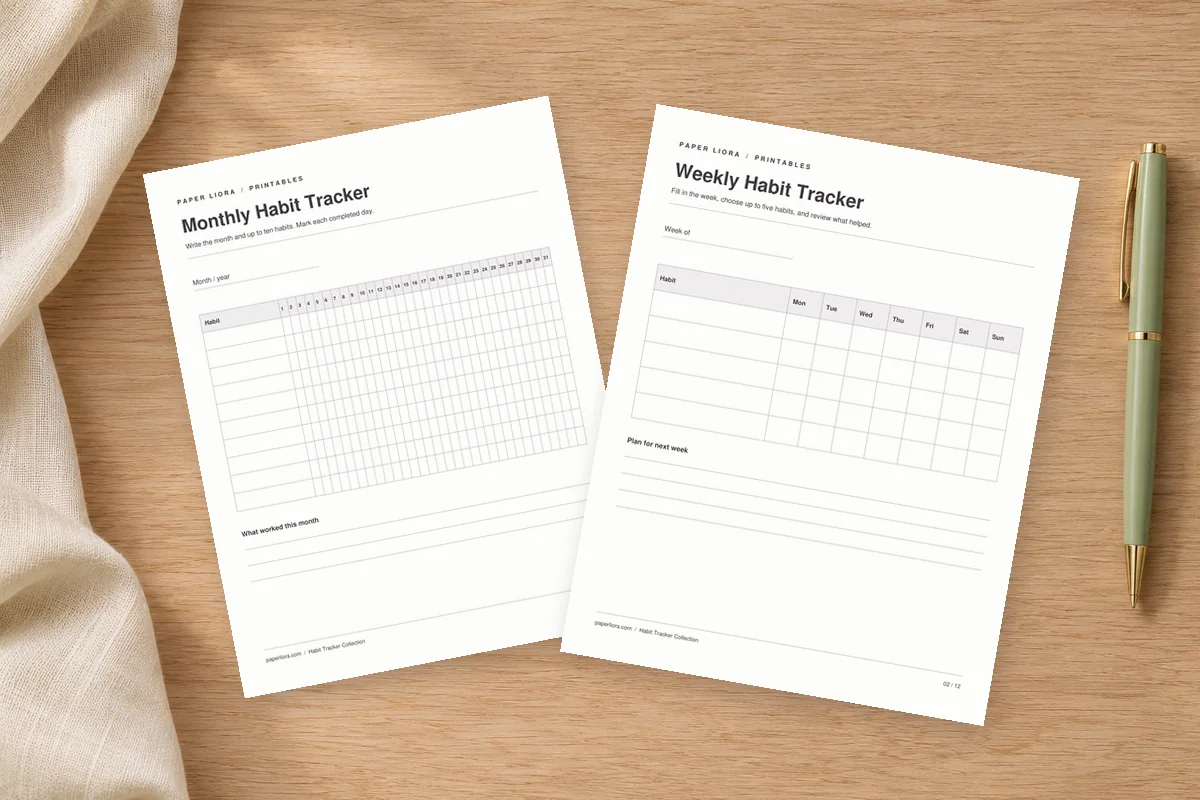
Printable Habit Tracker Ideas: 12 Monthly and Weekly Layouts
The best printable habit tracker ideas make a particular action easier to remember. A monthly grid shows the big picture. A weekly page leaves room to plan around your schedule. A checklist is handy when you’re learning a routine and just want to see what comes next. Choose a page that answers one question you actually care about, then give it a week before you decide whether to keep it.
This collection includes 12 undated layouts you can print as needed. Each PDF contains the same 12 pages in a different paper size, so you only need to download the version that suits your printer.
Download the 12 printable habit trackers
Download the complete set (US Letter) · Download the complete set (A4)
The page numbers in this guide match the PDF. If you just want the weekly tracker, print page 2. For the circular version, print page 5. Start with a single copy so you can confirm that the boxes and notes area are comfortable to write in.
Choose what to track before you print
Write the smallest version of each action you can recognize as complete. “Read five pages after lunch” gives you a clear decision at the end of the day. “Read more” leaves you debating what counts. Aim for one to three actions at first, especially if each one is new. An established routine, like setting out tomorrow’s bag, may need only a checkmark. A behavior you’re still figuring out may need a note about timing or obstacles.
Decide when the habit belongs on your schedule. Some actions are daily, some are appropriate on weekdays, and some make sense two or three times per week. Mark planned rest days with a dash or dot so they stay distinct from a day you meant to track but missed. Decide before you start how you’ll mark a day with incomplete information. You can leave it blank instead of guessing later.
12 printable monthly and weekly habit tracker layouts
1. Monthly habit tracker
Use page 1 for a side-by-side picture of several actions across a month. Write the month and year at the top, add one habit per row, and mark the numbered cell when you complete the habit. The page has room for ten habits. Leave any extra rows blank. Shade unused day columns in months with fewer than 31 days to make the end of the month obvious.
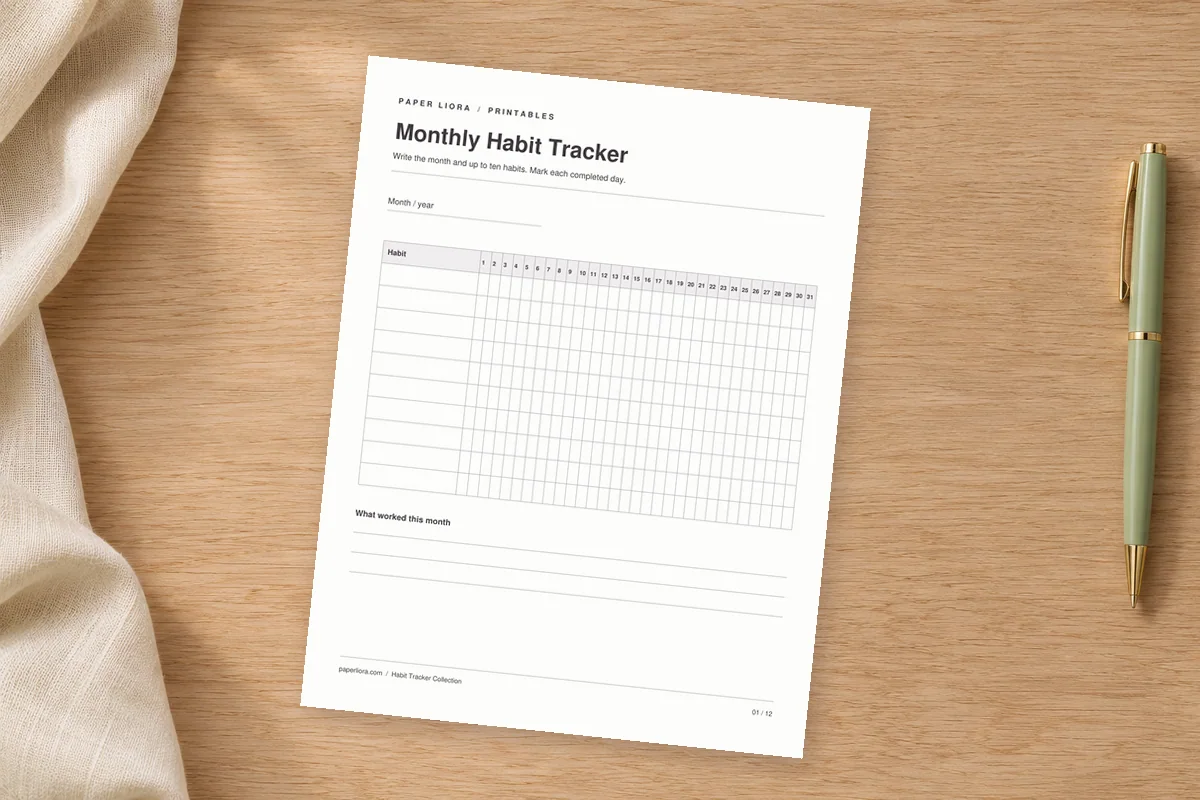
Choose short row labels, such as “5 pages,” “Pack lunch,” or “10 minutes outside.” Use the notes lines to write what made a row easier to complete. When you start a new month, copy over what’s still relevant and leave the rest behind. A completed row of checkmarks matters less than knowing what you want to repeat.
2. Weekly habit tracker
Page 2 gives you five habit rows and a Monday-to-Sunday grid. Choose this layout for a fluctuating schedule or a new action you still want to adjust. Enter the date of the first day, then put dots in cells you’re planning to use. Turn a dot into a check when you complete the action. Mark other days with a dash if you want to distinguish them from planned days.
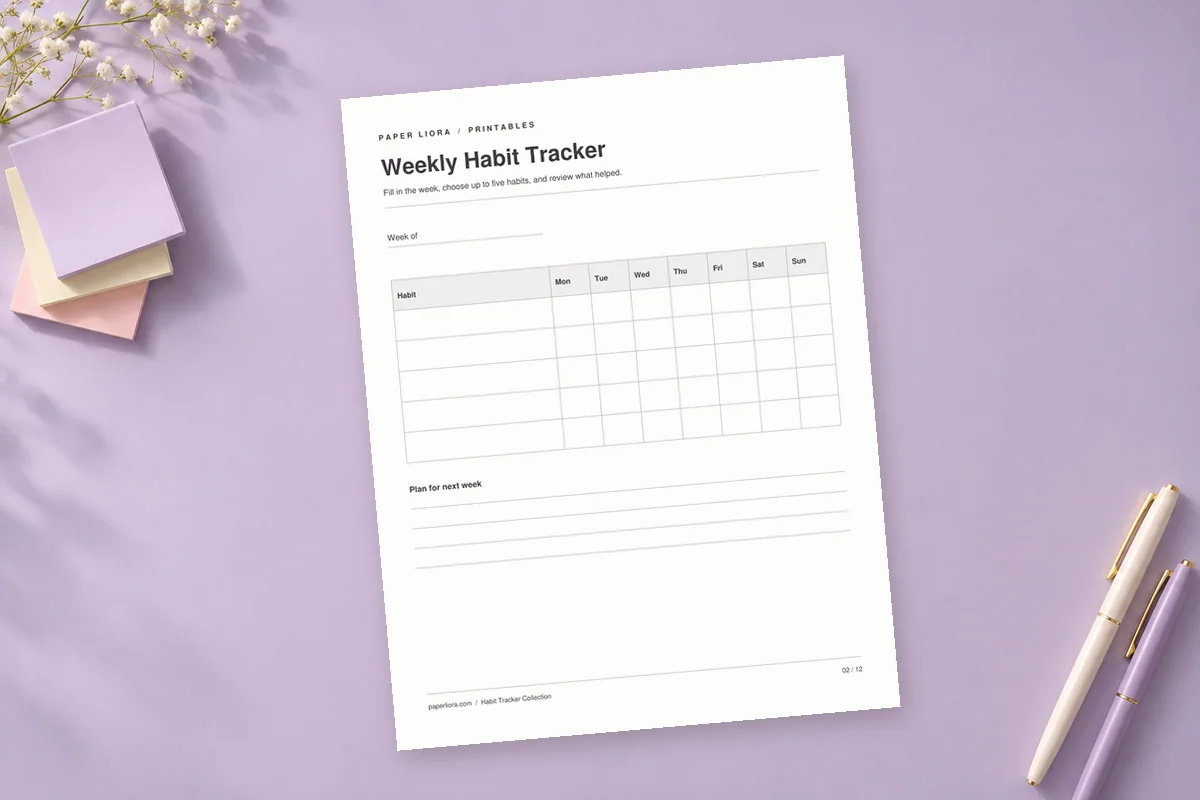
Use the review space on Sunday to adjust next week. If your walk happened Wednesday and Friday but never Monday, ask whether those days offer a better time rather than shifting everything to an earlier hour. Keep the page beside your weekly planner or pin it where you set out the things you need tomorrow.
3. Minimalist 31-day grid
Page 3 keeps a single habit visible in 31 roomy numbered boxes. Write the month and action at the top. These boxes follow numbered days, so the start of a row does not necessarily represent Monday. Mark an X, shade a corner, or write a tiny note such as the name of the book you read. Shade any box after the last day of the month.
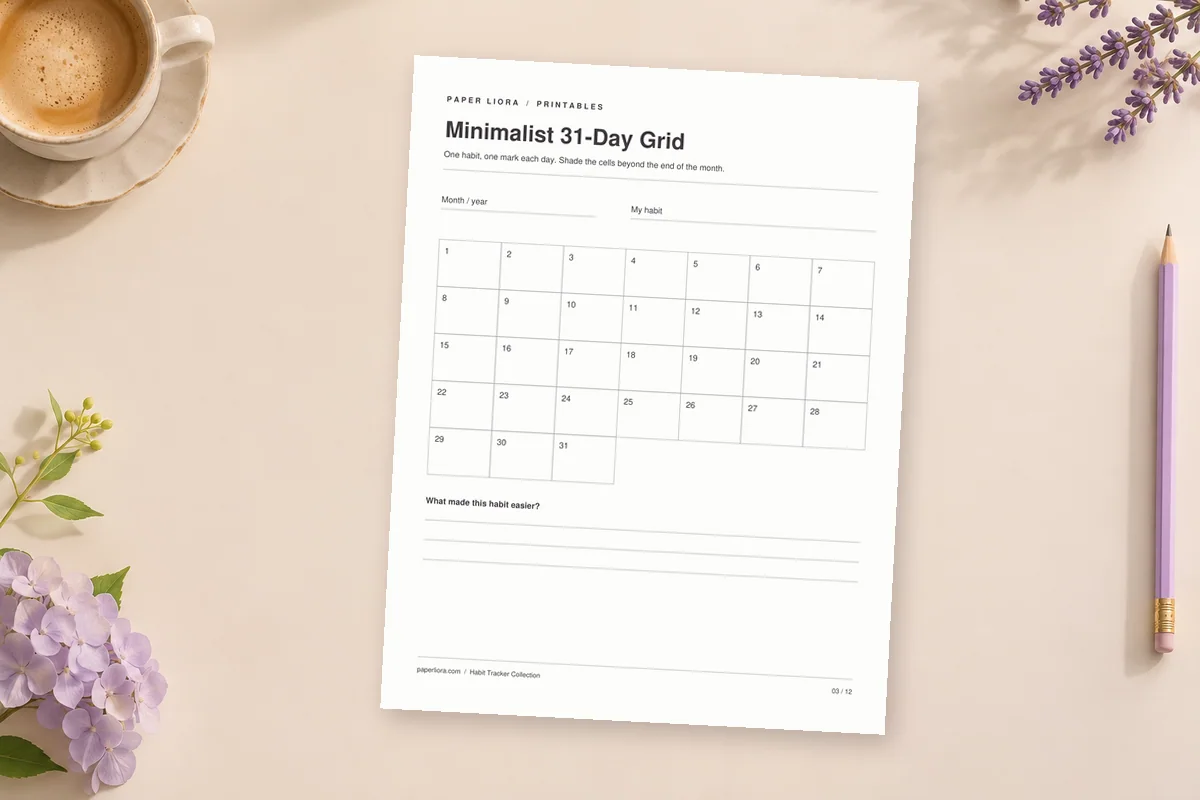
Try this version for something that benefits from one focused experiment, like sketching for five minutes or putting clean dishes away before bed. If a habit goes quiet for a week, look at the notes under the grid. Record what helped on the days you managed it, then try that cue again.
4. Habit checklist
Page 4 has three columns for morning, daytime, and evening. Use it as a routine card when the order of tasks matters more than tracking individual days. For example, the evening column can hold “fill water bottle,” “pack bag,” and “set book by the chair.” Put tasks in the order you’ll do them. Give each item its own line so the marks stay meaningful.
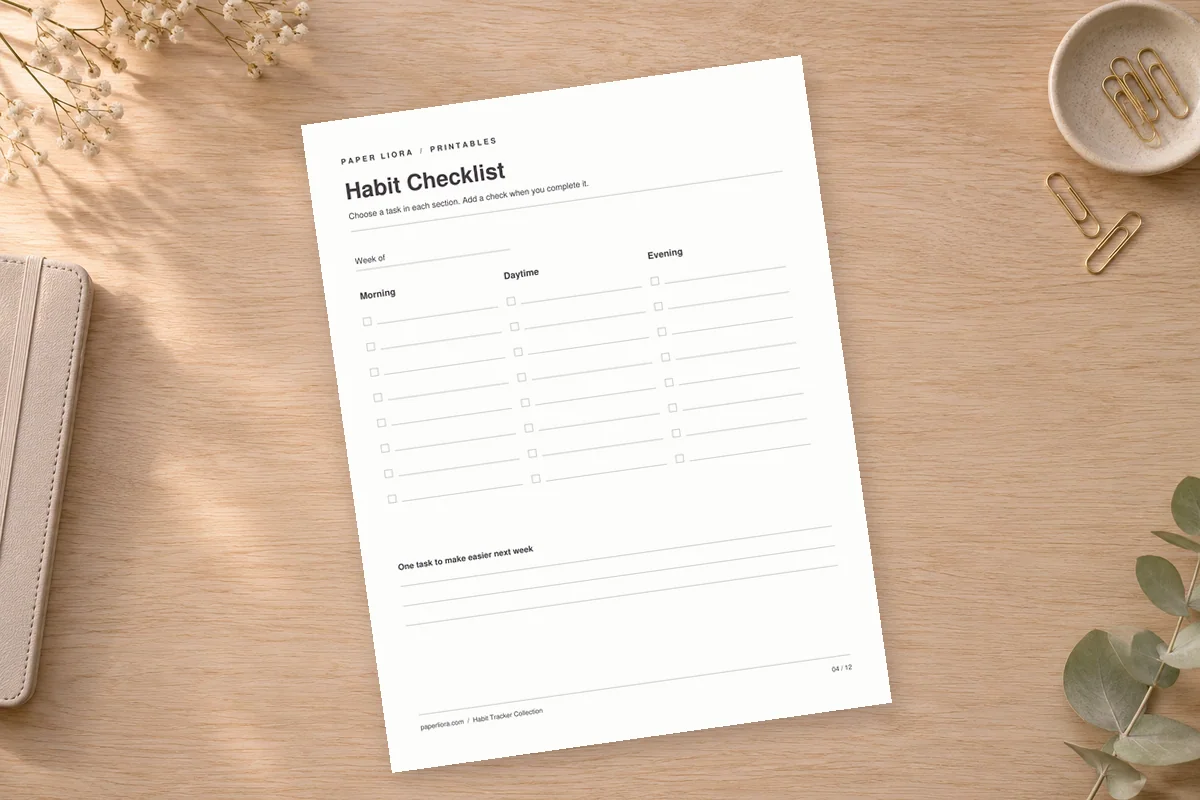
If you want to reset it each day, slide the page into a clear sleeve and use a dry-erase marker. Keep dated weekly notes on a separate sheet if you want a record. If the list regularly has eight items but you only use three, shorten the routine and take the extra decisions off the page.
5. Circular habit tracker
The wheel on page 5 has 31 day sections and three rings. Assign one action to the inner, middle, and outer rings using the legend below. On the appropriate day, shade the ring segment for that action. Use a pencil or color with a narrow tip to keep the segments readable. You can use a different symbol in each ring if you print in grayscale.
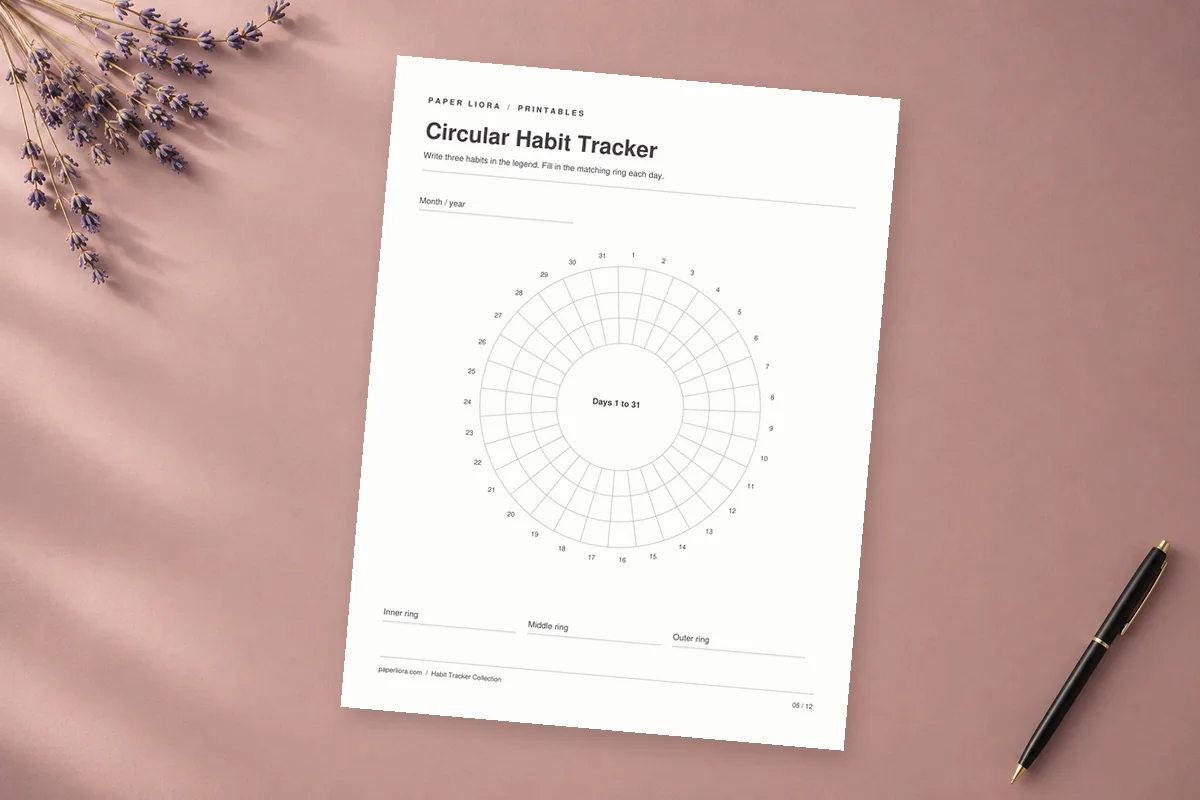
The wheel works especially well for three related habits, such as ordinary parts of a creative routine. Each ring could record getting supplies ready, working for a few minutes, or putting the supplies away. Compare rings at the end of the month. If opening the notebook happens often but restarting a project feels harder, fill in a note on your next printout about a smaller starting step.
6. Floral habit tracker
Page 6 uses a compact monthly grid with a restrained floral detail that prints in grayscale. Plan up to seven actions and keep the decoration around the grid so the day numbers stay easy to read. Add colored dots for completed days if you enjoy decorating your planner, or use a black pen and leave the design as it is.
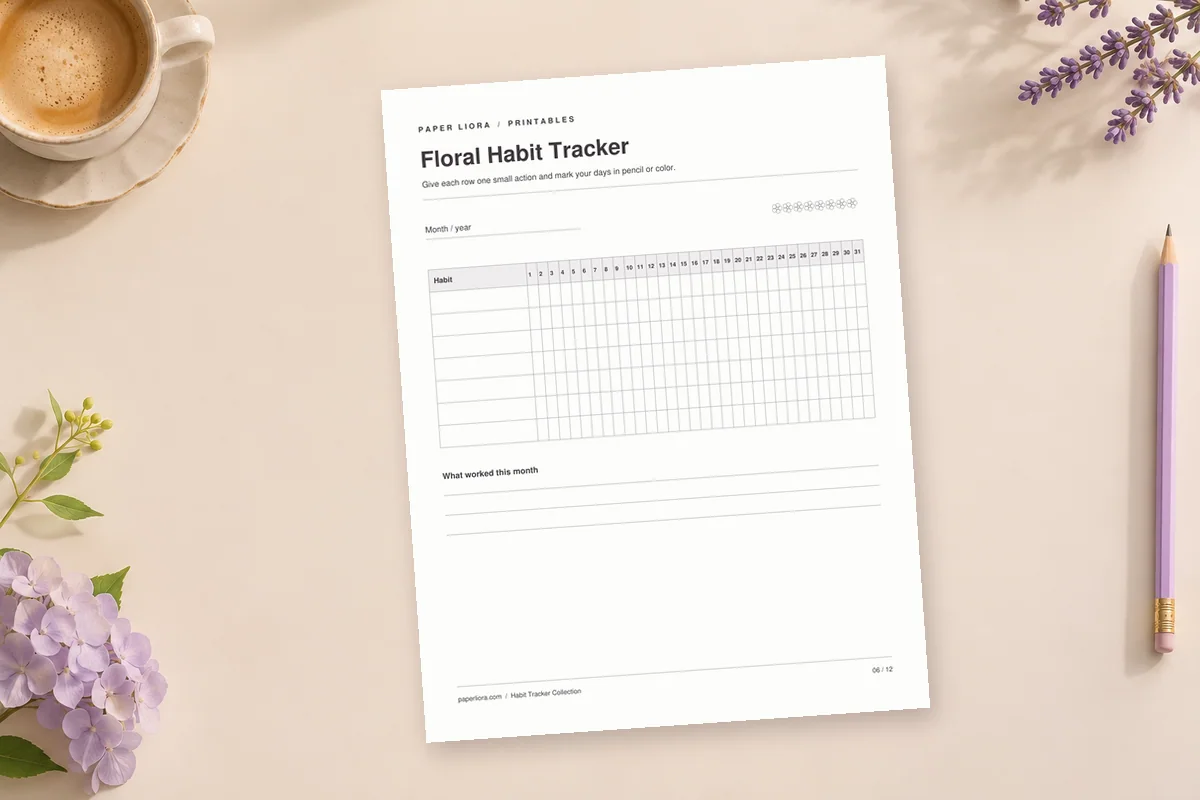
This page works as a gentle reset at the start of a new season. Choose a few small commitments, like watering plants on your chosen days or spending a quiet moment organizing paper scraps. Try a fine-tip marker on the corner first. If it shows through, use pencil or print one-sided, leaving the back available for notes.
7. Self-care tracker
The weekly table on page 7 has room for up to five actions you choose yourself. Start with ordinary things that make your week more manageable. “Take a screen break at lunch” or “Text a friend on Thursday” are clear enough to mark. The notes area asks what supported you that week, so you can record context alongside the checkmarks.
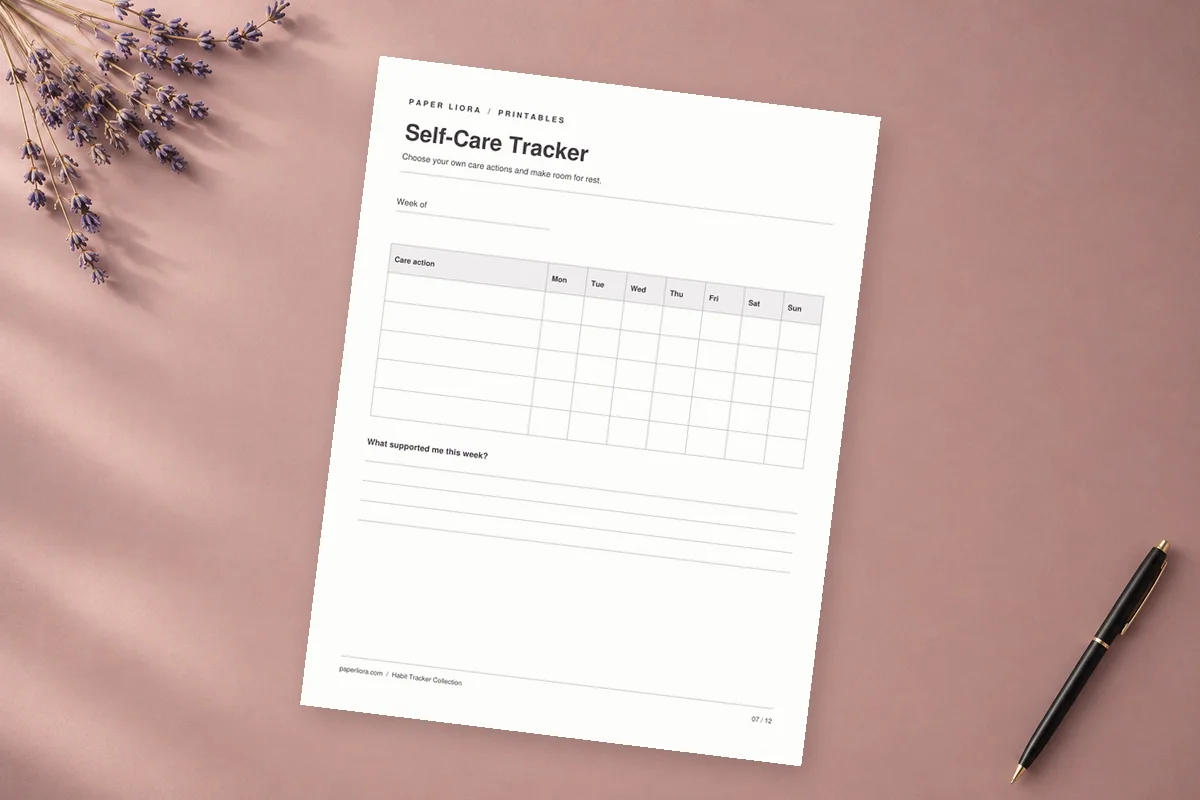
Make space for days when the plan doesn’t fit. A slash can mean “rested” or “not scheduled,” depending on the key you choose. If a row feels discouraging, make the action smaller or use the space for something that helps you more. Keep the tracker somewhere you’ll see it without needing to share private notes.
8. Reading habit tracker
Page 8 has a row for every day of the week, with space for the title or session, pages or minutes, and a short note. Pick one measurement that suits the format. An audiobook works well with minutes. A print book can be tracked by pages, chapters, or a simple session note. You can switch formats midweek and label the units when that happens.
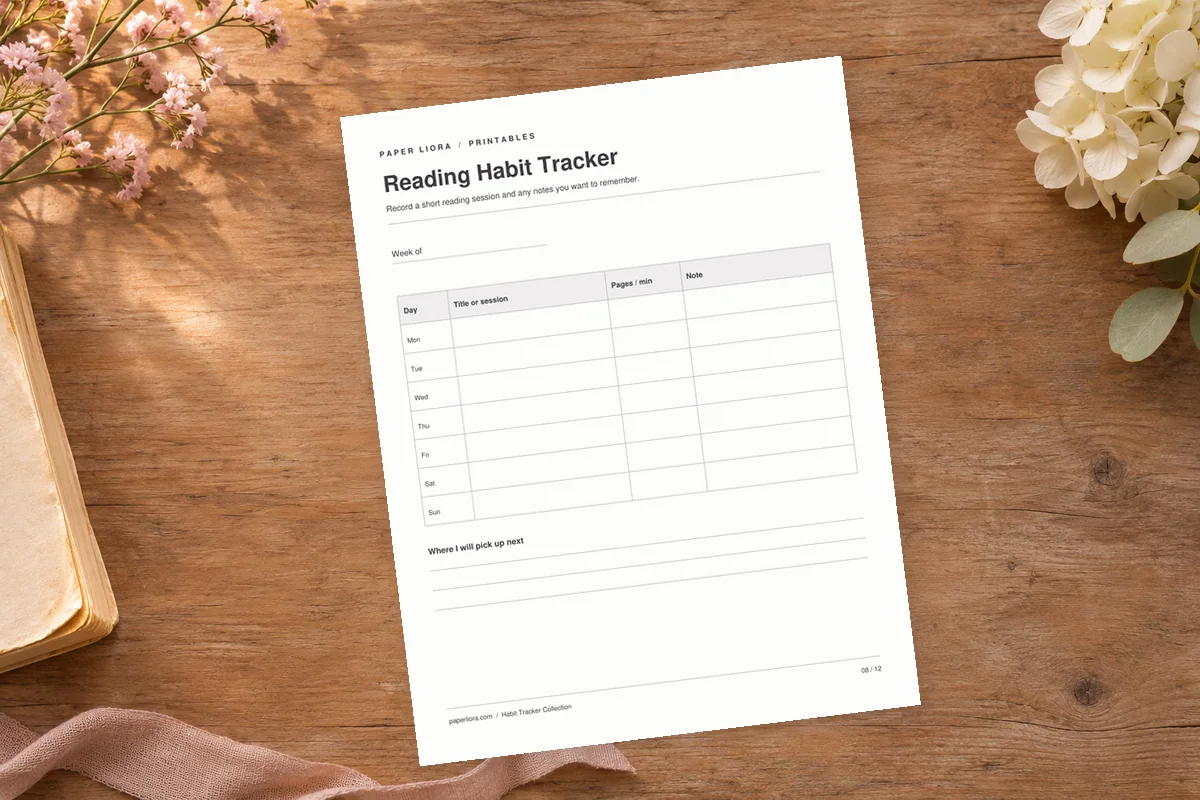
Use the bottom lines to record where you want to pick up. “Start chapter 4 after breakfast” is easier to act on than “Finish book.” If you find yourself using the notes column for quotes or recommendations, add a separate page for those details and use the tracker to record the routine alone.
If you want room for book reviews, favorite quotes, or a separate list of books to read next, use the beginner reading journal spreads alongside this printout. The weekly page can track your sessions while the journal holds the details you’ll want to revisit.
9. Study routine tracker
Page 9 separates the subject or task, the plan, what you finished, and what you want to revisit. Instead of writing only “Study,” try “Review five vocabulary cards” or “Solve three practice problems.” The Done column can hold a check, a small total, or a short note about what actually happened.
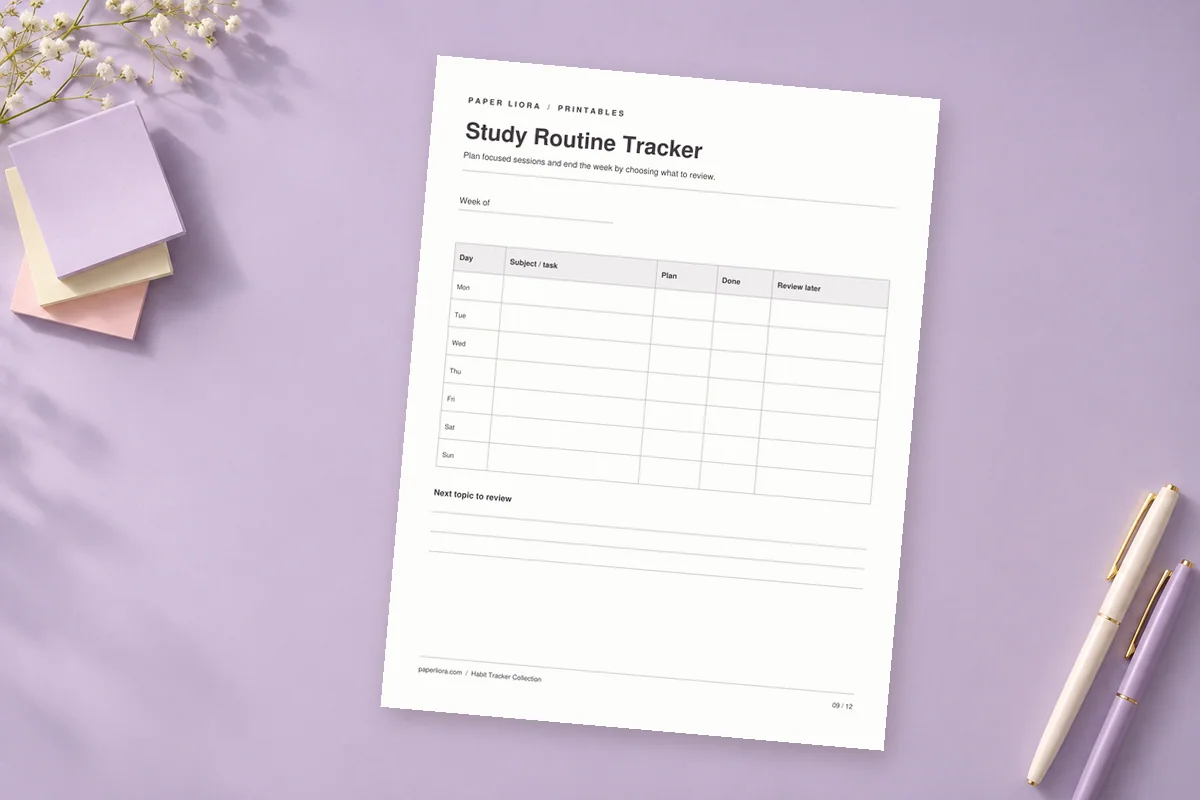
Use Review Later to leave a prompt that makes the next session easier to start. “Redo problem 3 without the example” is specific enough to understand a few days later. When studying multiple subjects, use initials or a clear color key. Set up the week in pencil so you can move a session around without redrawing the schedule.
10. Household routine tracker
Page 10 includes a column for who does what and a weekday grid for marking completion. Start with recurring jobs such as putting away clean laundry, emptying a kitchen bin, or updating the grocery list. Assign a person only where everyone understands the arrangement. You can also designate “first available” for small shared tasks.
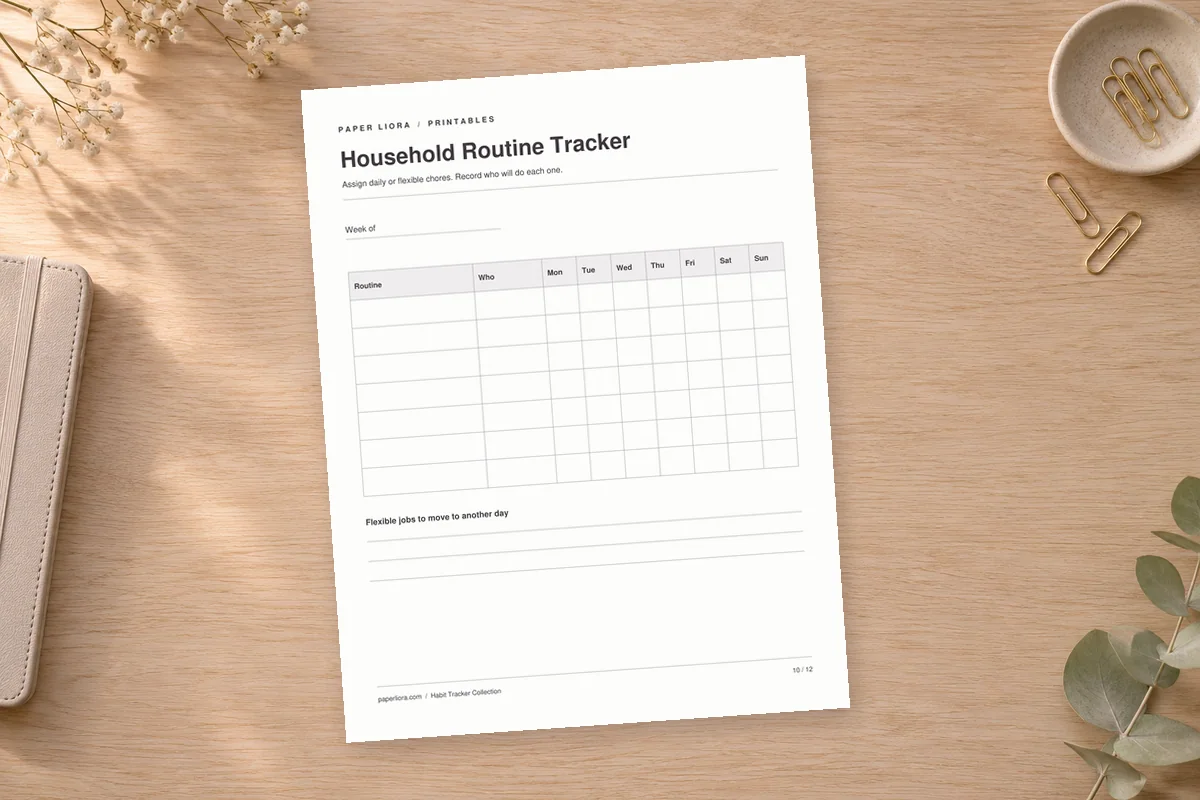
Mark the days when a job is meant to happen, and leave flexible jobs in the notes area. That keeps a delayed task from looking like a missed daily obligation. A one-page printout in a familiar spot can make handoffs easier. Review the layout together after a week and remove any item that’s reliably handled without a reminder.
11. Water intake tracker
Page 11 leaves the serving size up to you and provides eight small boxes per day. Note the size of the cup or bottle that you want to use as your unit. Mark a box when you finish one unit, and use the notes if your container changes. For example, note a refill separately if you alternate between two different bottles.
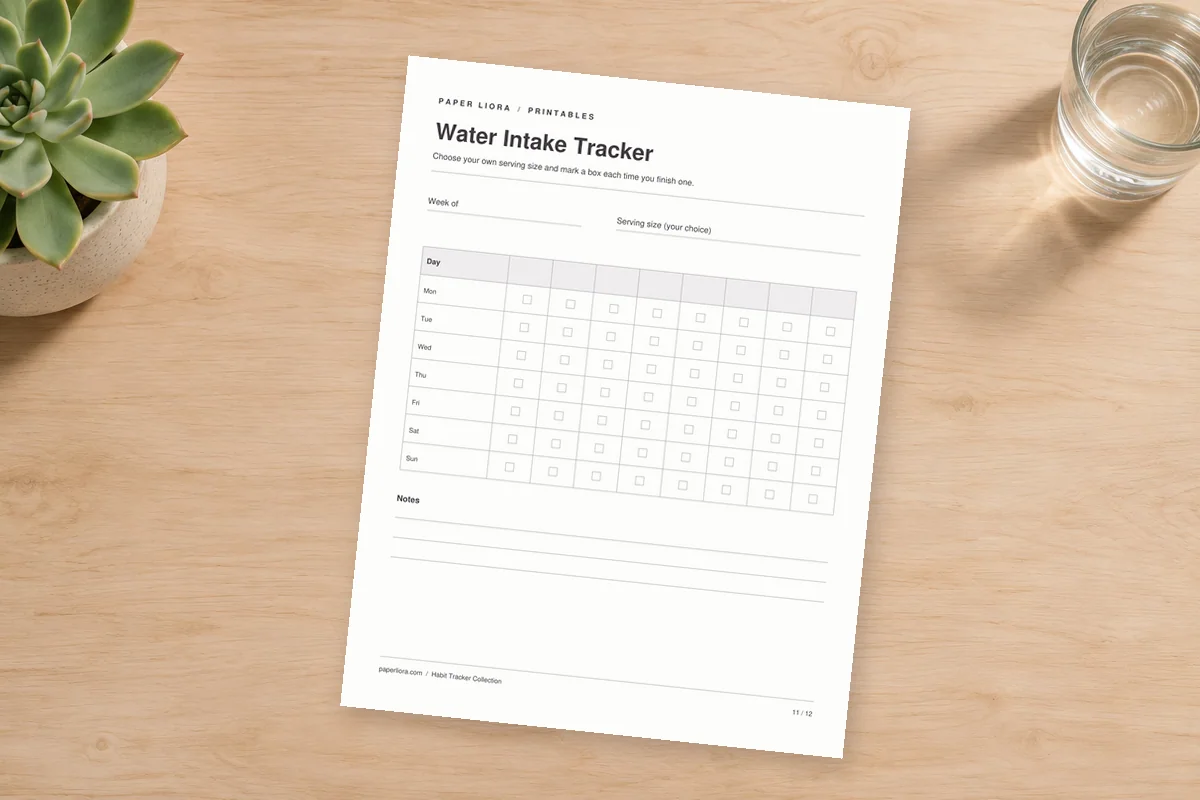
The eight boxes are a layout choice. Use fewer if that fits your routine, or record a separate note if you need more room. A checkmark might help you remember whether you already refilled your water bottle. It should be simple to interpret later without needing to count partial marks or reconstruct your day.
12. Creative habit tracker
Page 12 records the project, time spent, and next step. Try “scrapbook, 12 minutes, print two photos” or “daily sketch, five minutes, leave pencil on desk.” The most useful field is often Next Step. It turns a short session into a clear starting point for tomorrow.
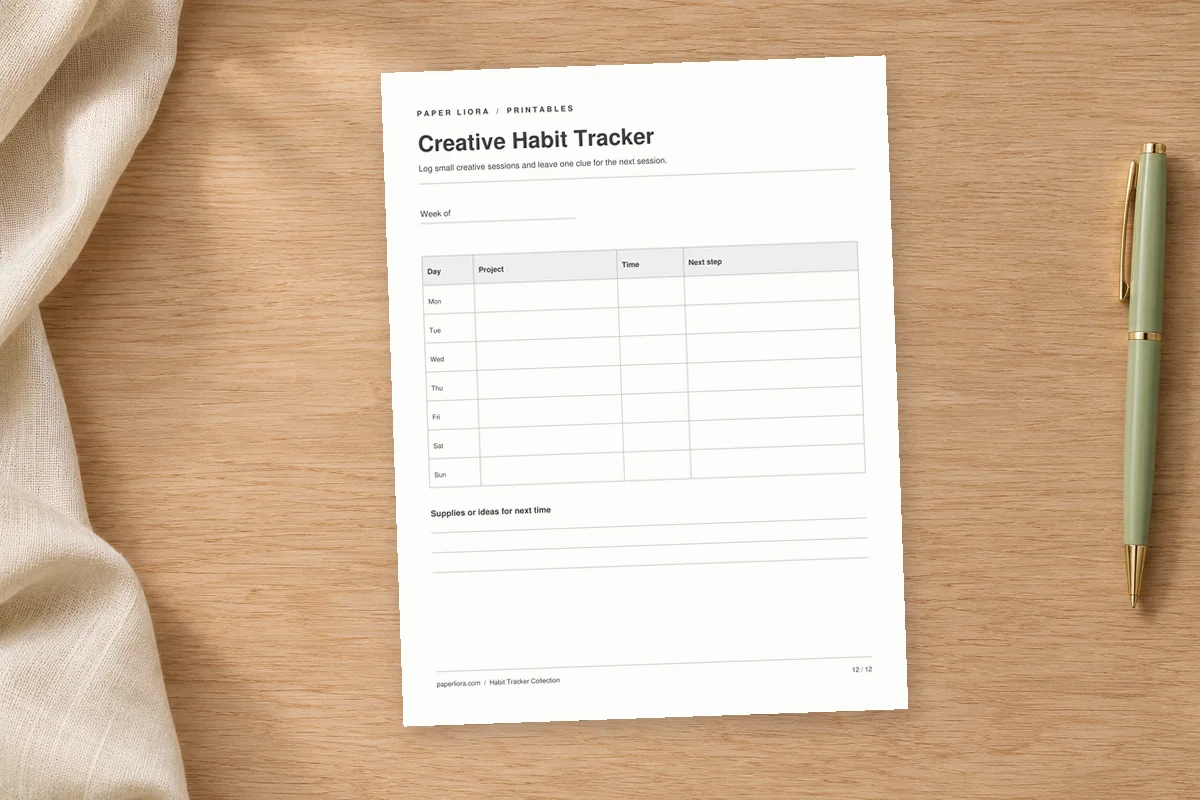
Include creative setup or cleanup if it moves your project forward. Selecting paper scraps, testing one color, or organizing reference photos can be useful work. Keep the weekly tracker close to your supplies so the note is easy to find when you sit down. Before filing the page, copy the next action beside your current project.
Print at home without clipping the grid
Choose US Letter for 8.5 × 11-inch paper, or A4 for 210 × 297-millimeter paper. Open the corresponding PDF in a viewer, then select only the pages you want. Choose the matching paper size and portrait orientation in the print dialog. In Adobe Acrobat’s print settings, Actual Size prints without scaling and can crop content if the selected paper or printer’s usable area is too small. Use the preview to check all edges before printing.
For exact-sized pages, use Actual Size or 100 percent when the printable area supports it. If your printer still cuts off the edge of a grid, select Fit or a small reduction and check the preview again. Confirm that you’re printing one page per sheet, especially if you last used the printer for handouts. Turn off borderless photo printing unless you know the printer won’t enlarge the page.
Black and white or grayscale is enough for these layouts. If thin lines are faint on an older printer, switch from draft to standard quality before increasing ink density. Start with ordinary printer paper and test the pen you’ll use. A clear sleeve makes one copy reusable, but print fresh sheets when you want to compare dated weeks later.
A one-week example you can copy
Start with “read five pages” and “set out tomorrow’s clothes.” On the weekly tracker, plan the reading for Monday, Wednesday, and Saturday. Plan the clothes on nights before an early start. Put a small circle in each scheduled cell. On a completed day, fill the circle. Draw a short line through a planned circle if you deliberately move the activity, and use a question mark only when you’re not sure what happened. Write this key in the margin so you can read it again next week.
At the end of the week, choose one change. If you read on Saturday because you left the book near the coffee mug, try the same cue on a weekday. If the clothes routine was already automatic, free that row for something you actually need help remembering. The tracker has done its job when a next step feels clearer.
Personalize a page without changing its layout
Draw a line through unused rows to reduce visual clutter. A sticky note can hold details that change often, like a study topic or the next book you want to try. When sharing a household sheet, agree on the marks together and write the key directly on the printout. For a personal copy, add color after establishing the key so the same chart still works if you print it in black and white.
Troubleshoot before changing the habit
If you never see the page, move it beside a tool you already reach for. If you forget which column is today, fill in the month or week before you start and keep a small key in the corner. When the grid is consistently blank, use one checklist row or one day of notes for a while. A very busy week may call for a tiny tracker that takes seconds to update.
Frequently asked questions
Which is better, a weekly or monthly habit tracker?
Use a weekly page if you’re testing a new routine or want more writing room. Choose a monthly page if you already know the habit and want to compare the days you planned to do it. You can switch without transferring every historical mark.
Can I print one layout without printing the entire PDF?
Yes. Enter its page number in the print dialog and inspect the preview. The section numbers in this guide match the PDF page numbers in both paper sizes.
Can I reuse these layouts next month?
Yes. They’re undated, so print a new copy or erase a clear-sleeve copy and write the new date. Store a clean master digitally so you don’t need to photocopy a filled-in page.
Start with one printable page
Pick the format you’ll actually see during your day. Write one action at the top and mark the days you intend to try it. If you want more ways to organize a routine, browse the printable planners and trackers collection.